WRENCH VPN
Your Connection. Your Privacy. Your Control.
WRENCH VPN encrypts your internet connection and hides your IP address, so you can browse, stream and work privately on any network — all with a single click.
Windows 10 & 11 Free download Set up in minutes
Features
Everything you need for a private internet
WRENCH VPN combines strong protection with a simple experience, so staying safe online never gets in your way.
Secure browsing
Your traffic travels through an encrypted tunnel, so public Wi-Fi at cafés, airports and hotels is no longer a risk.
Privacy protection
Hide your real IP address and keep your online activity away from prying eyes, advertisers and trackers.
Easy-to-use interface
A clean, modern app that anyone can understand. No confusing menus or technical settings to wrestle with.
Fast and reliable connection
Optimized servers keep speeds high and connections stable — for streaming, gaming, browsing and work.
Simple one-click connection
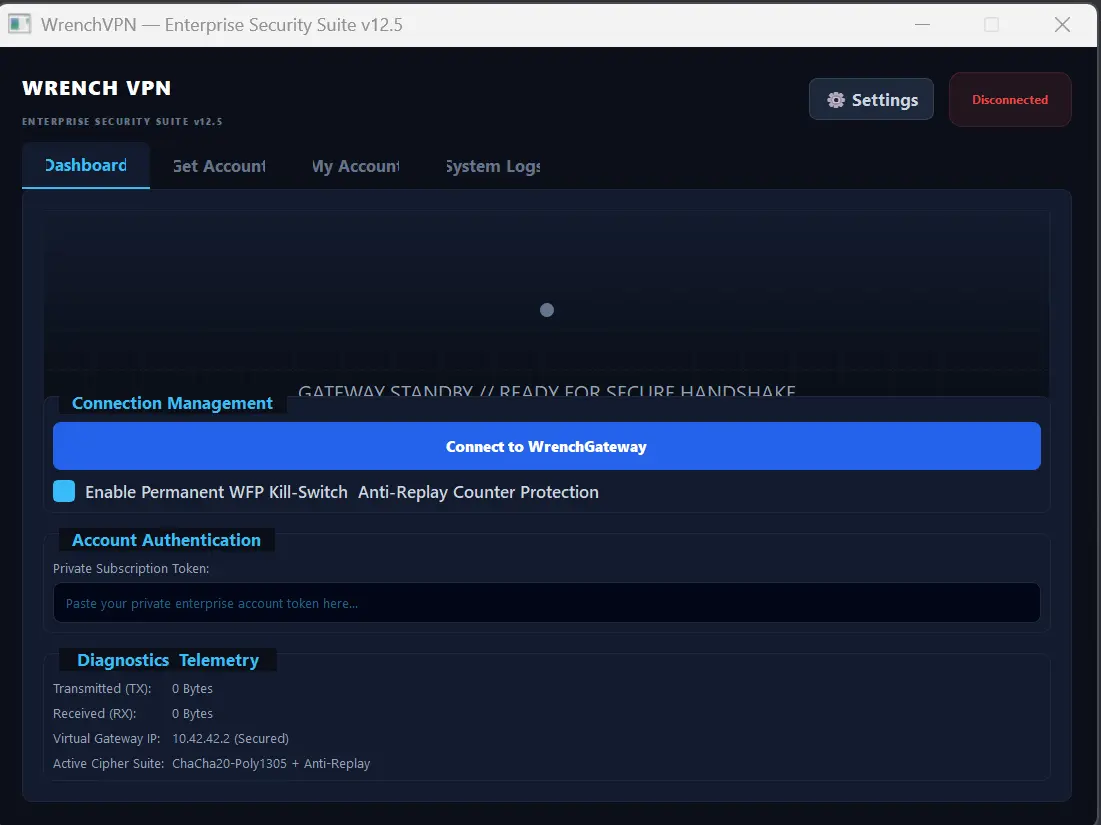
Open WRENCH VPN and press Connect. That’s it — you’re protected in seconds.
How it works
Protected in three simple steps
- 1
Download
Get the free WRENCH VPN installer for Windows below.
- 2
Install
Run the setup file and follow the short install wizard.
- 3
Connect
Open the app and press Connect. You’re protected.
Download
Get WRENCH VPN for Windows
Download the installer, run it, and connect. Take back control of your connection in under a minute.
Need help installing? Ask the community on Discord
- Version
- 12.5
- File size
- 48 MB
- Released
- November 2026
System requirements
- Windows 10 or Windows 11 (64-bit)
- 4 GB RAM or more
- 150 MB free disk space
- Active internet connection
- Administrator rights for installation
Contact
We’re here to help
Questions about WRENCH VPN, need support, or interested in working with us? Send a message and our team will reply by email.